
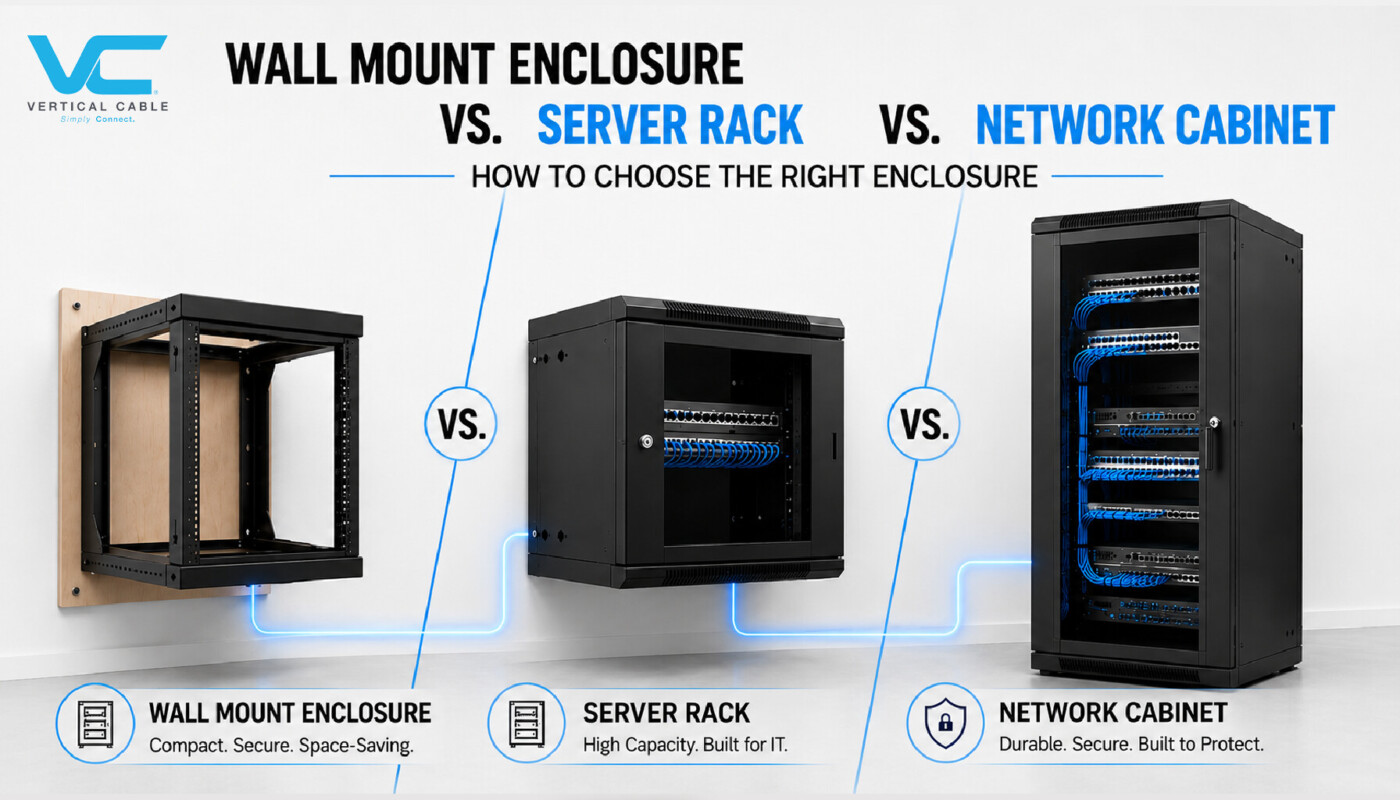
If you’ve ever spec’d a job and had to decide between a wall-mount enclosure and a full-size floor cabinet, you know the wrong call costs more than money — it costs a callback when the customer adds a switch six months later, and there’s no room left. Wall-mount cabinets and enclosures, network cabinets, and server cabinets all hold 19-inch rack equipment, but they’re built for different loads, depths, and installation environments. Here’s how to tell them apart and spec the right one the first time.
Quick Answer Wall-mounted cabinets and enclosures are for lighter loads (roughly 65–150 lb, depending on style) in space-constrained closets — think telecom rooms, retail back offices, or small-business network racks. Network cabinets are floor-standing, hold significantly more weight (up to 2,204 lb), and are sized for switches and patch panels. Server cabinets are also floor-standing and rated for similar weight capacity, but they’re built deeper to accommodate full-depth servers, PDUs, and cable management behind the equipment. If you’re mounting to a wall and don’t need more than 20 RMU, go wall-mount. If you’re on the floor and running switches and patch panels, go network cabinet. If you’re racking actual servers, go server cabinet. |
What Counts as “RMU” or “U”
Before comparing capacities, it helps to be on the same page about sizing. Rack equipment is measured in rack units — written as U or RMU (rack-mount units) — a standard defined by EIA/TIA-310, which sets 1U at 1.75 inches of vertical rack space and specifies the 19-inch front-panel width shared by all three cabinet types discussed here. Every cabinet below is sized in RMUs, so a 12 RMU wall-mount cabinet and a 12U space in a 42U server cabinet hold identically sized equipment — the difference is what’s around that equipment.
Wall-Mount Cabinets and Enclosures
Wall-mount units are designed to hang directly on a wall or backboard, freeing up floor space in telecom closets, retail POS rooms, classrooms, or small offices. They come in two basic configurations, and the difference matters for weight ratings.
Open Bracket-Style Racks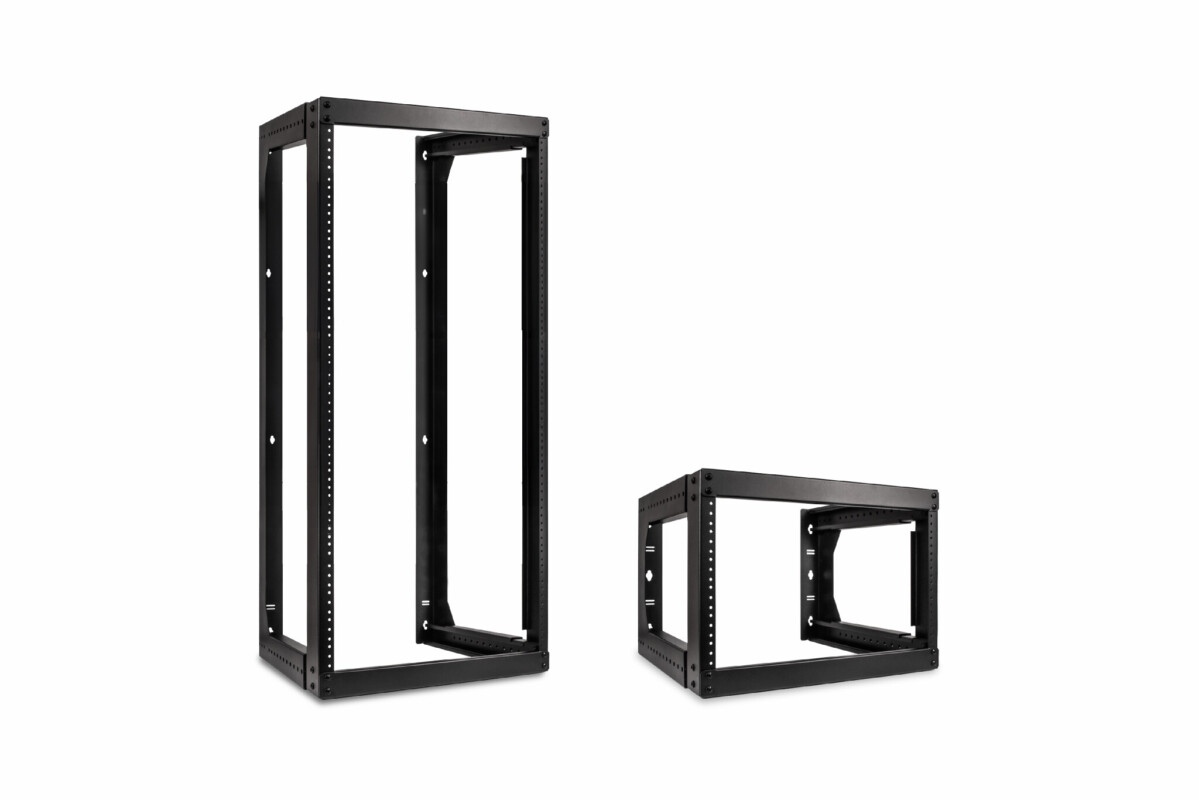 They usually hinge open on wall-mounted brackets and are typically used where equipment doesn’t need to be enclosed behind a locking door — such as AV racks, patch fields, or utility closets. Static load capacity varies by frame style: a fixed-depth bracket rack tops out at around 66 lb., while an adjustable-depth swing-out bracket rack, rated for pre-drilled #12-24 mounting, can carry up to 150 lb. These come in 6, 8, 9, 12, 16, and 20 RMU sizes with an adjustable depth of 18–30 inches. | Enclosed Wall-Mount Cabinets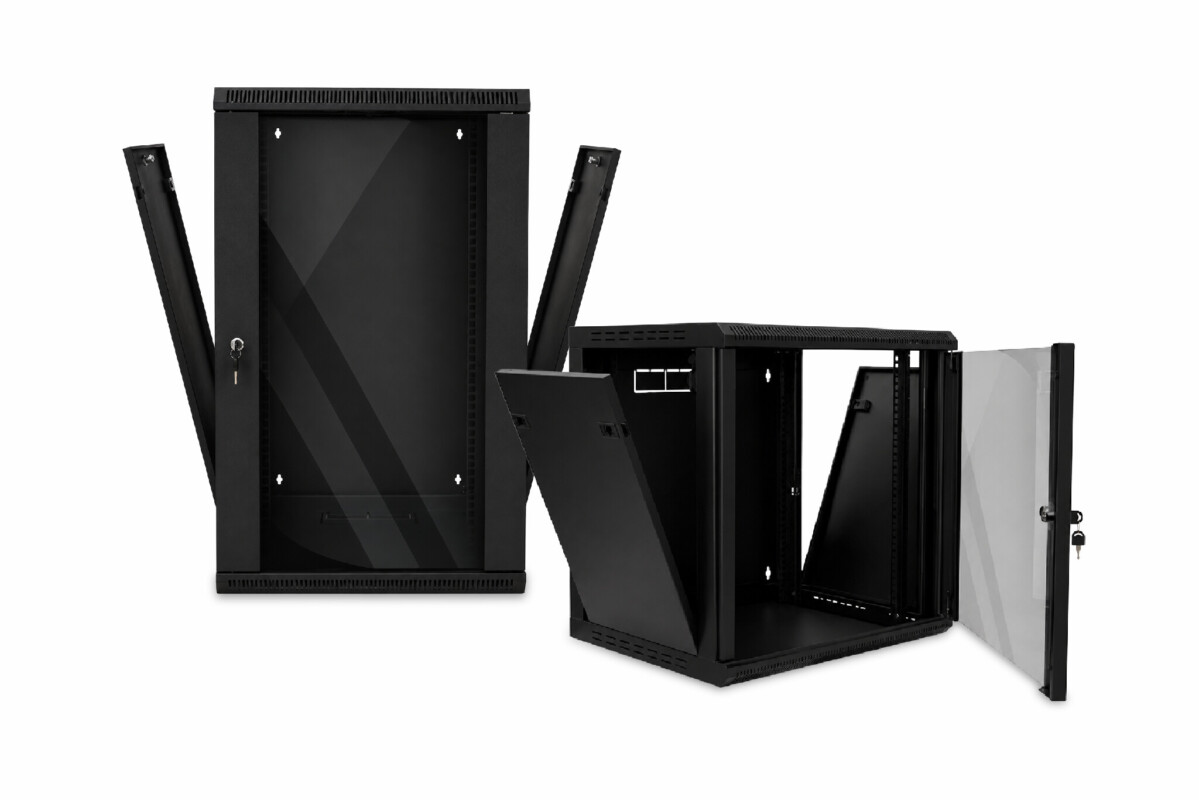 They include a lockable door, side panels, and (in most cases) a built-in cooling fan — better suited for network equipment that needs physical security. Two styles cover most jobs:
|
TAKEAWAY: If you’re wall-mounting, your ceiling load for equipment is roughly 65–150 lb, depending on style — plenty for switches, patch panels, and small UPS units, but not for a rack of full-depth servers.
Network & Server Cabinets
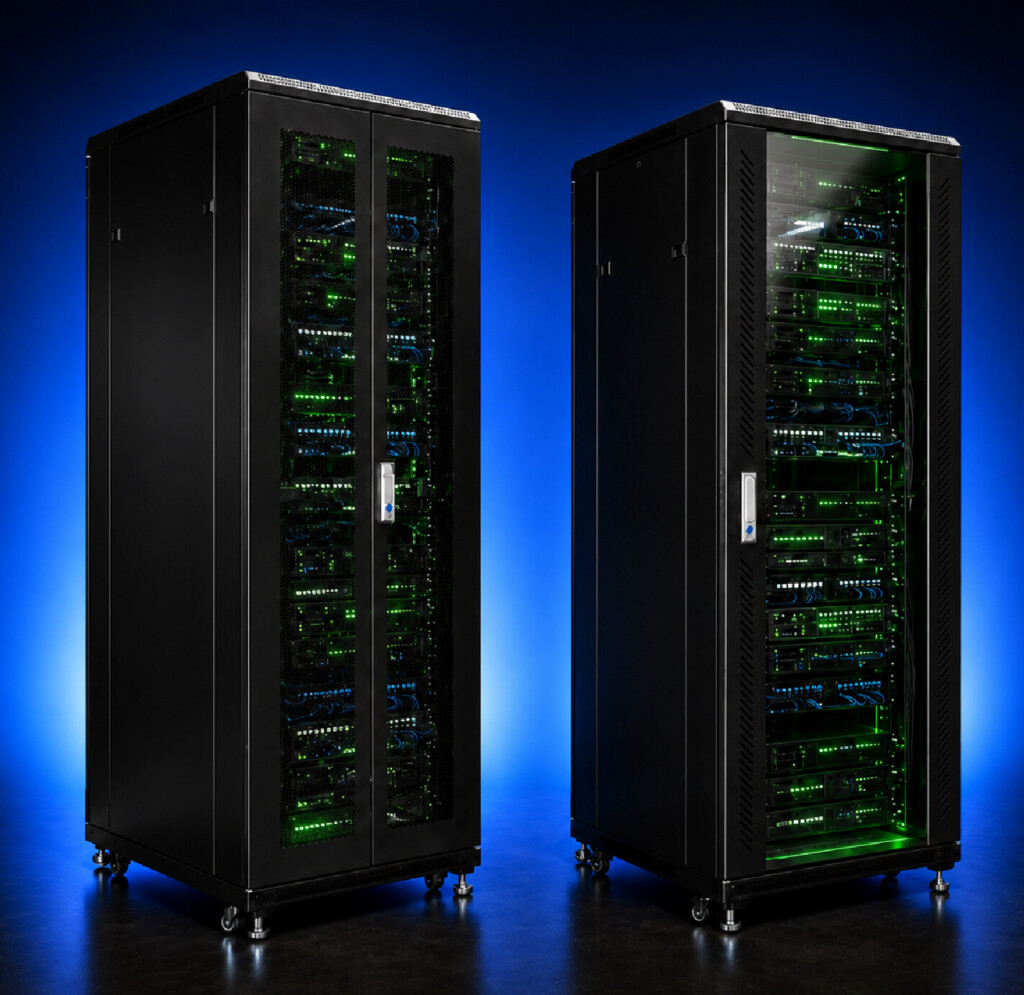
Network cabinets are floor-standing enclosures designed for switching and patching infrastructure — the kind of equipment you’d find in a data closet or an intermediate distribution frame (IDF). Vertical Cable’s network cabinets come in 27, 37, and 42 RMU sizes with a 20-inch usable depth, built-in cooling fans, a dust-protective glass front door with lock, removable side panels, and caster wheels with leveling feet for stability. Static load capacity is rated at 2,204 lb across all three sizes — the empty cabinets themselves weigh between 132 and 218 lb depending on RMU count.
That 20-inch usable depth is the key spec to watch. It’s enough room for switches, patch panels, and horizontal cable managers, but it’s shallower than what you’d want for rack-mount servers with rear-mounted power supplies and cable runs.
Server cabinets look nearly identical to network cabinets from the outside — same steel construction, same 19-inch rack rails, similar footprint — but they’re built with more usable depth to handle full-depth server hardware. Vertical Cable’s server cabinets come in 37 and 42 RMU sizes with roughly 27 inches of usable depth (versus 20 inches on the network cabinet line), additional built-in cooling fans, and a steel mesh front door for better airflow under heavier thermal loads. Static load capacity comes in at 2,204 lb, essentially matching the network cabinet series — the difference isn’t how much weight they hold, it’s how much depth they give you to work with behind the mounted equipment for PDUs, cable slack, and rear clearance.
If a job calls for actual servers — not just switching and patch infrastructure — that extra 7 inches of usable depth is what keeps rear doors closing cleanly and cable management from turning into a mess.
Open-Frame Racks
Not every floor-standing option needs a locking enclosure. Open-frame racks drop the doors and side panels entirely, trading physical security for open access and airflow — a good fit for equipment rooms, data centers, or MDF/IDF closets where the room itself is already secured rather than the rack. Vertical Cable carries these in 2-post and 4-post configurations across two RMU sizes.
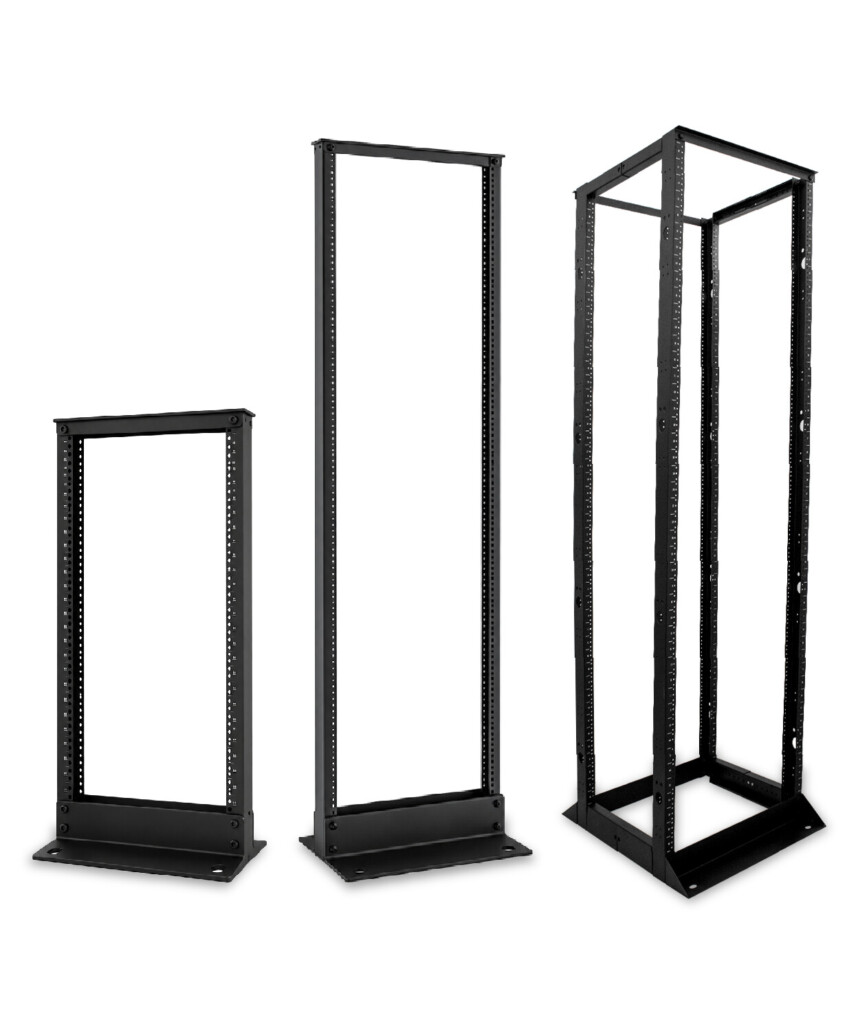
20 RMU Open-Frame Rack
The 20 RMU 2-post open rack is the compact option: 40 inches tall, 20 inches wide, with a fixed depth of 14 inches and a 440 lb static load capacity. It’s sized for a single switch-and-patch-panel run in a closet that doesn’t need — or have room for — a full 45U frame.
45 RMU Open-Frame Racks
For larger buildouts, the 45 RMU frames step up considerably. The 45 RMU 2-post open rack provides 84 inches of vertical mounting space in a 20.3 in. wide, 14.8 in. deep footprint, rated for 804 lb. — roughly double the 20 RMU model’s capacity in the same narrow 2-post style. The 45 RMU 4-post open rack adds a second pair of rails front-to-back and an adjustable 24–36 in. depth, pushing static load capacity to 1,322 lb. — the highest of any product in this lineup outside the enclosed network and server cabinets.
The trade-off is consistent across all three: no lockable door and no side panels, so they’re best suited to rooms where physical security is already handled by the room itself, not the rack.
Side-by-Side Comparison
Wall-Mount (Bracket) | Wall-Mount (Enclosed) | Network Cabinet | Server Cabinet | |
|---|---|---|---|---|
Mounting | Wall/backboard | Floor, casters | ||
RMU Range | 6 – 20 RMU | 27 – 42 RMU | 37 – 42 RMU | |
Usable/Mounting Depth | 18 – 30 in. (ADJUSTABLE) | 15.7 – 22.5 in. | 20 in. | 25.6 in. |
Static Load Capacity | Up to 150 lb. | Up to 132 lb. | Up to 2,200 lb. | Up to 2,204 lb. |
Cooling | None built-in (OPEN) | 1 fan (SELECT MODELS) | 2 built-in fans | 4 built-in fans |
Door | Open frame or none | Locking glass/solid | Locking glass | Locking steel mesh |
Best For | AV gear, small patch fields | Secured switches, small IT closets | Switches, patch panels, IDF/MDF rooms | Rack-mount servers, higher thermal loads |
Which One Do You Need?
Start with two questions: how much weight are you carrying, and how much floor space do you have?
If the job is a small network closet, a retail back room, or a single switch-and-patch-panel setup, and you don’t have floor space to spare, a wall-mount unit in the 65–150 lb. range covers most scenarios. Choose the enclosed swing-out or side-access style if the equipment needs to be secured behind a locked door; choose the open bracket style if it doesn’t.
If you’re past 20 RMU or the equipment itself exceeds what a wall bracket can carry, you’re into floor-cabinet territory. From there, the deciding factor is what’s actually going in the rack. Switches, patch panels, and passive infrastructure fit fine in a network cabinet’s 20-inch usable depth. Full-depth rack servers, especially ones with rear power distribution or extensive cable management, need the server cabinet’s deeper interior to avoid crowding the rear door. Whichever you choose, leave the front and rear service clearance called for in ANSI/TIA-569-E — it’s easy to spec a cabinet that fits the equipment and forget it also needs room for someone to open the door and work.
It’s also worth noting that not every floor-standing option is fully enclosed. Vertical Cable also carries open-frame racks in 2-post and 4-post configurations for equipment rooms where physical security isn’t a concern — the 4-post open rack with adjustable 24–36 inch depth is rated up to 1,322 lb, while the 2-post version tops out at 440 lb. These sit between wall-mount and full cabinets in terms of load capacity but skip the enclosure entirely, which is worth considering when airflow matters more than physical security.
Frequently Asked Questions
What is the difference between a wall-mount cabinet and a server cabinet?
A wall-mounted cabinet hangs on a wall or backboard and typically supports up to 150 lb of equipment within a 6–20 RMU footprint. A server cabinet is a floor-standing enclosure rated for over 2,200 lb, with a deeper interior (25.6 inches of usable depth) built specifically to fit full-depth server hardware and the cable management that goes with it.
What is the difference between a network cabinet and a server cabinet?
Both are floor-standing and rated for similar static load capacity, but a network cabinet has a 20-inch usable depth suited to switches and patch panels, while a server cabinet has a 25.6-inch usable depth to accommodate rack-mount servers, PDUs, and rear cable clearance. Server cabinets also typically ship with four cooling fans versus two on a network cabinet, since server hardware runs hotter.
What does RMU or 42U mean on a cabinet spec sheet?
RMU (rack-mount unit) and U are the same measurement, standardized at 1.75 inches per unit by EIA/TIA-310. A 42U or 42 RMU cabinet has 42 rack units of vertical mounting space — roughly 73.5 inches — though the actual cabinet height is taller once you account for the frame and top/bottom panels.
How much weight can a wall-mount cabinet hold?
It depends on the frame style. Open bracket-style wall-mount racks range from about 66 lb. on fixed-depth models up to 150 lb. on adjustable-depth swing-out brackets. Enclosed wall-mount cabinets — the ones with a lockable door and side panels — are typically rated around 132 lb. regardless of RMU size, since the limiting factor is the wall-mounting hardware rather than the frame itself.
How much does a server cabinet cost?
Pricing varies by RMU size, depth, and features like door type and cooling. As a rule of thumb, expect server cabinets to cost more than network cabinets of the same RMU size due to the deeper frame and additional cooling fans, and expect both to cost significantly more than a wall-mount unit given the steel, casters, and load capacity involved. Check current pricing on the server cabinet product pages for exact figures by size.
Shop Racks & Cabinets Wall-mount, network, and server cabinets aren’t interchangeable — they’re sized for different jobs. Match the enclosure to the load you’re carrying and the depth your equipment actually needs, and you won’t be back on-site in six months explaining why there’s no room to grow. For a deeper reference on specifying rack and cabinet infrastructure across a full facility, BICSI’s Telecommunications Distribution Methods Manual is the industry standard for RCDD design. |