
You upgraded to fiber internet. The technician left, you ran a speed test near the router, and the results looked great, maybe 800 Mbps, 900 Mbps, or even a full gigabit.
Then you moved to another room.
Suddenly, your video call froze. Your movie started buffering. Your game lagged.
The problem usually is not the fiber internet itself. The problem is what happens after the internet enters the home.
With U.S. fiber broadband now passing over 100 million homes, more households are connecting to multi-gigabit services than ever. Fiber brings fast service to the building, but that does not automatically mean every desk, TV, laptop, or gaming console will get the same speed. The network inside the home still matters, and proper cabling and installation make the difference.
Why Fast Fiber Does Not Always Mean Fast Wi-Fi
Fiber internet delivers speed to the home. But once the signal reaches the router or ONT, your home network takes over.
Wi-Fi has limits. The signal gets weaker as it travels. Walls, floors, doors, glass, metal, and concrete can all reduce performance. Even Wi-Fi 7 access points, operating under IEEE 802.11be with theoretical throughput exceeding 46 Gbps under ideal lab conditions, are limited in practice by propagation physics and the building itself. The farther you are from the router or access point, the slower and less reliable the connection can become.
Common reasons Wi-Fi slows down include:
Distance from the router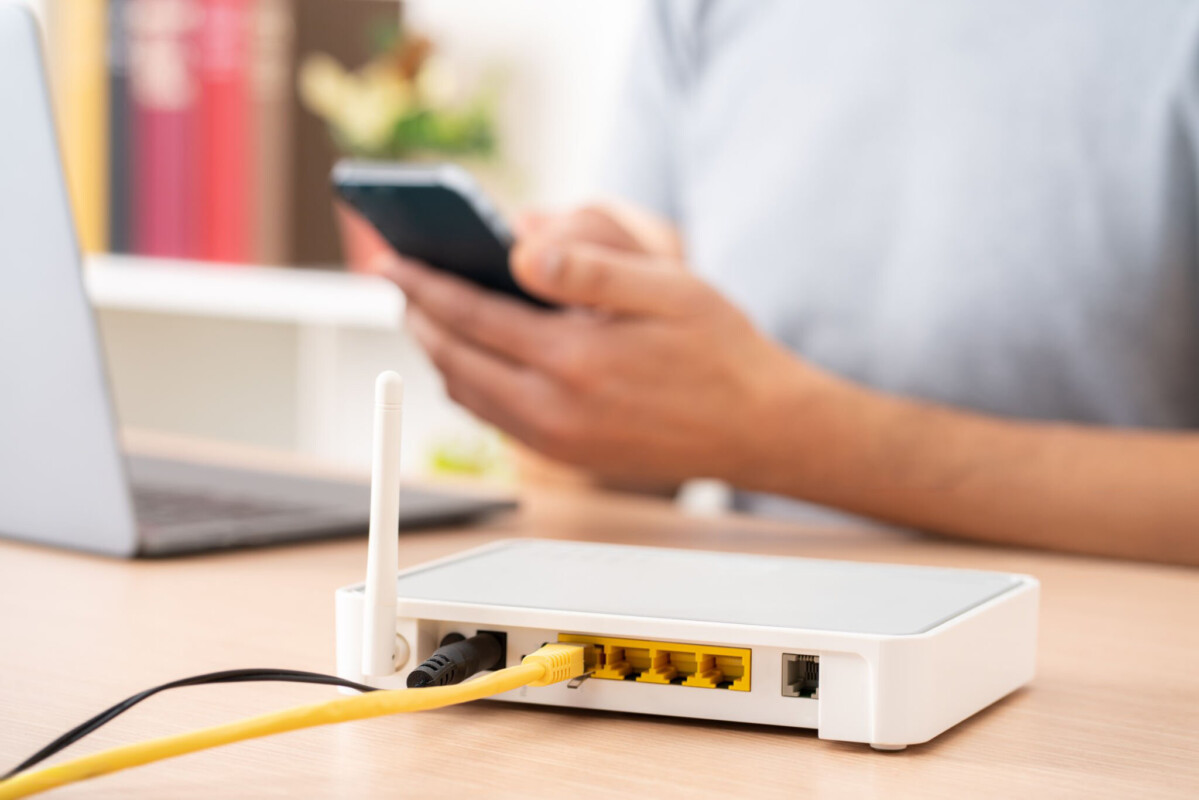 A device close to the router will usually perform much better than one farther away, such as across the house or upstairs. | Wireless mesh without Ethernet backhaul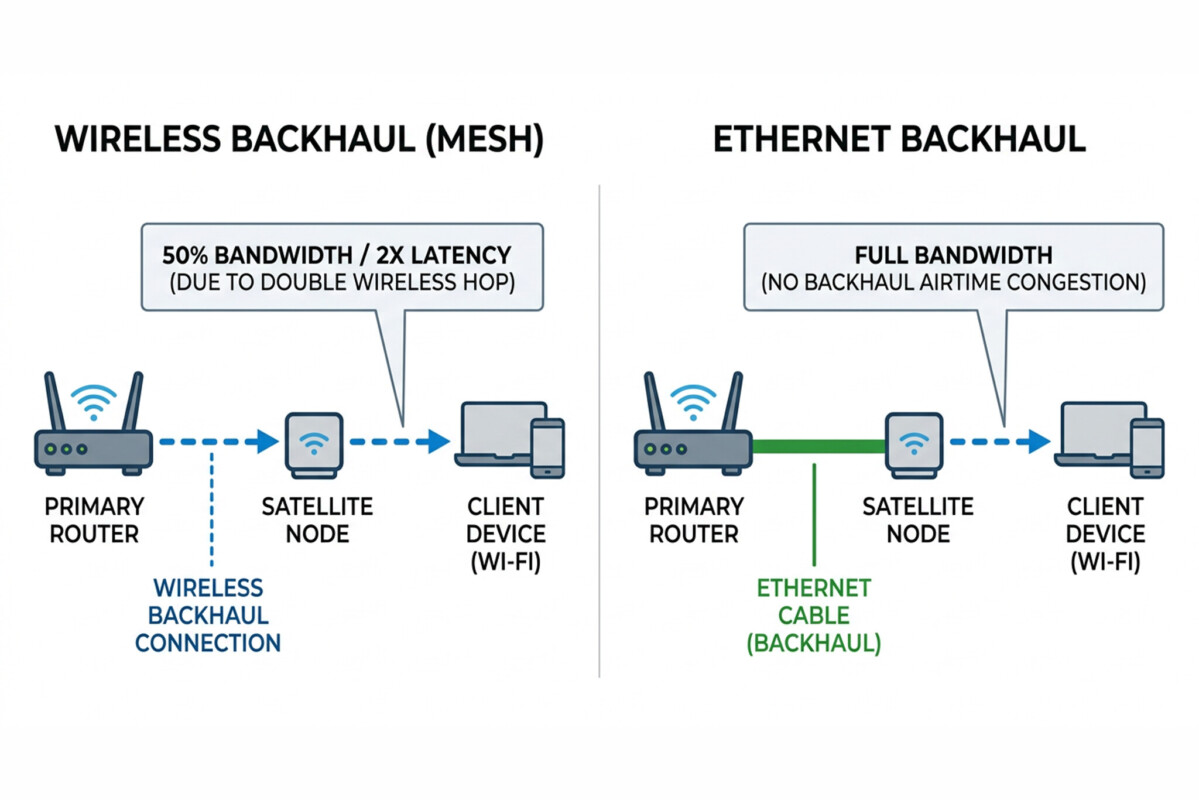 Many mesh systems connect each unit wirelessly. That means the system uses Wi-Fi to talk to your device and Wi-Fi again to talk back to the main router. This can reduce speed and add lag. | Too many connected devices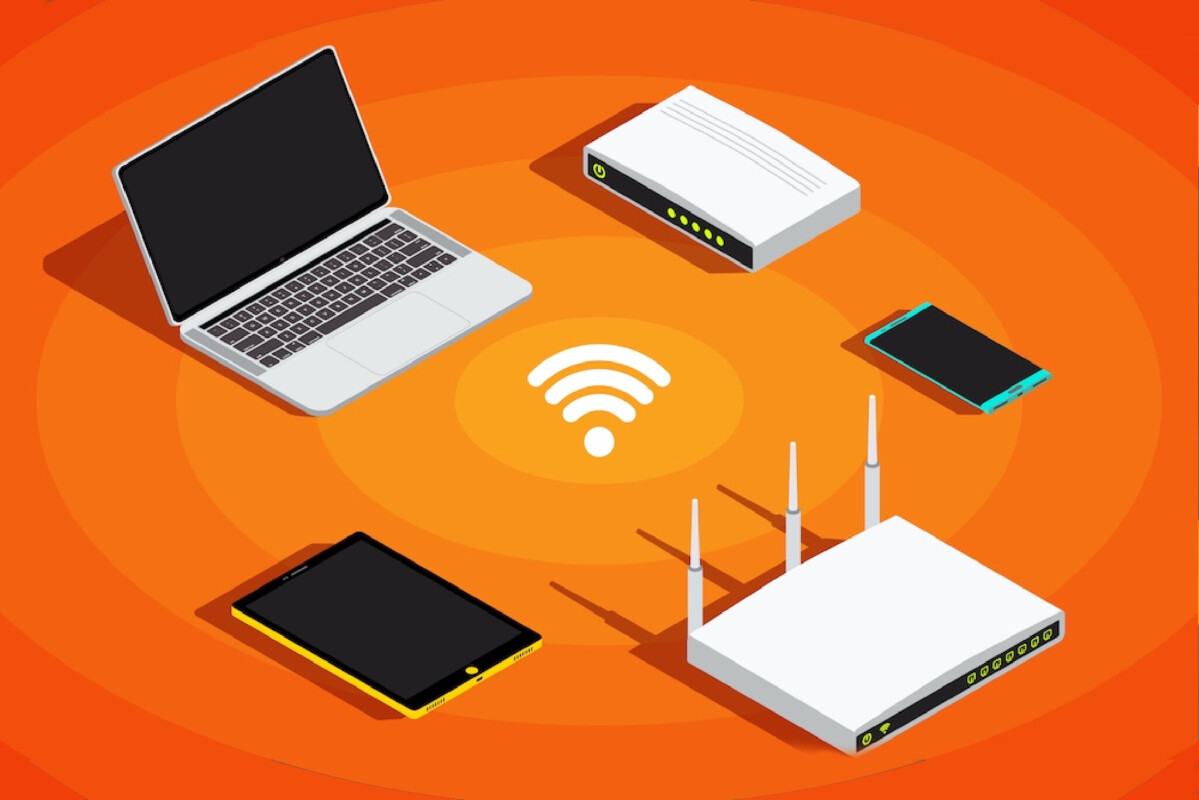 Phones, tablets, TVs, cameras, smart speakers, gaming systems, and laptops all compete for wireless space. | ||||
Only one router for the whole home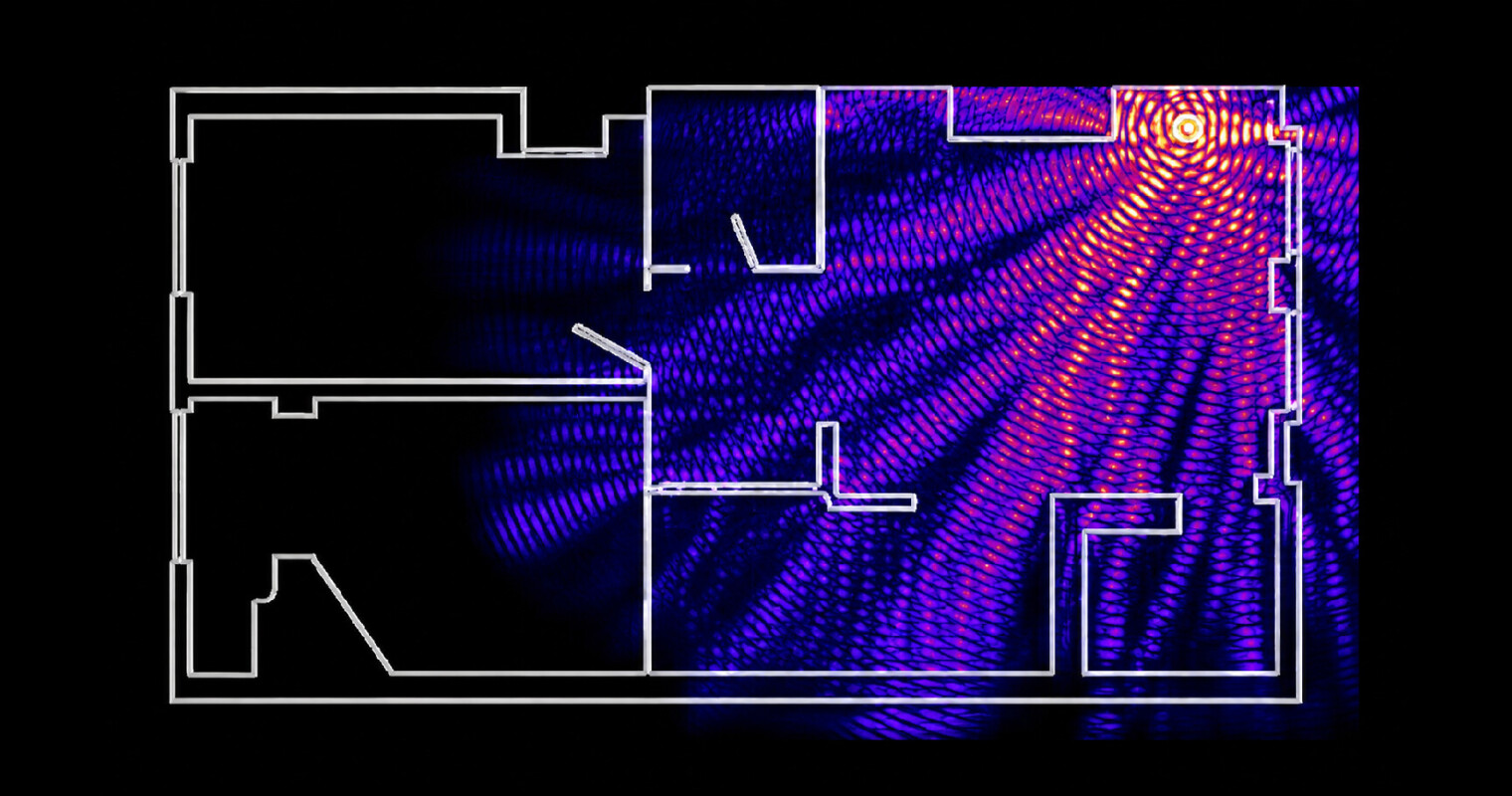 One router often cannot cover every room in a larger or multi-story home. | Walls and building materials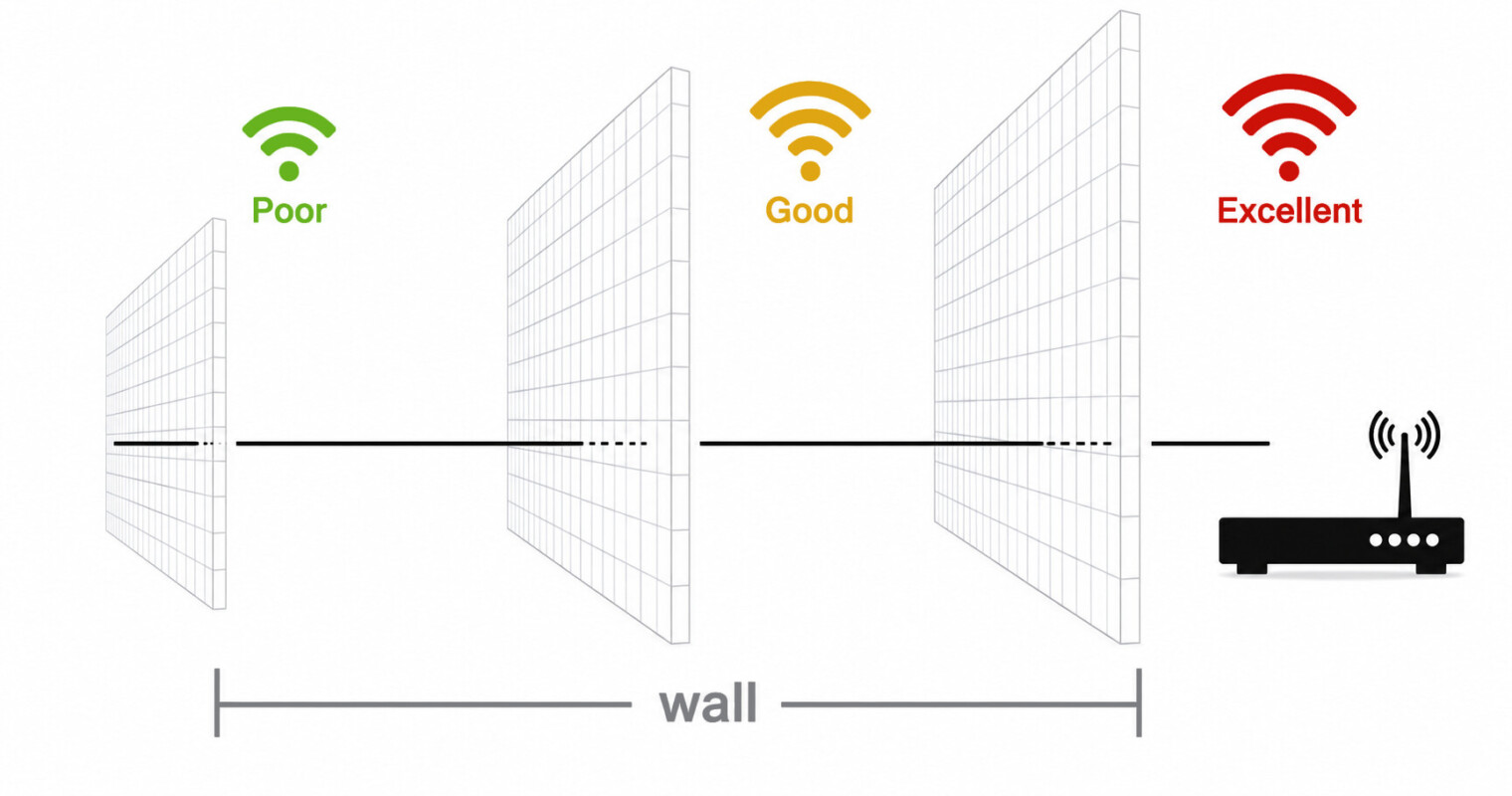 Concrete, brick, steel framing, and certain types of glass can block or weaken Wi-Fi signals. | |||||
The Wired Network Behind Strong Wi-Fi
The best Wi-Fi networks are not completely wireless. They are built on a strong wired foundation.
Both ANSI/TIA-568.2-D and the ANSI/BICSI installation standard treat copper cabling as the backbone of any building’s data infrastructure — and that doesn’t change because the end devices are wireless. What changes is that the cable now terminates at an access point instead of a desktop port.
That means running an Ethernet cable from a central switch to each access point. Instead of each access point fighting for a wireless signal, every access point gets its own dedicated wired connection.
This helps create:
- Better coverage throughout the home
- Faster and more stable speeds
- Less lag
- Easier troubleshooting
- A network that can support future upgrades
This is why structured cabling is important in residential projects, not just commercial buildings. Smart homes, home offices, security systems, streaming devices, and Wi-Fi access points all work better when the wiring is planned correctly.
CAT6 vs. CAT6A: Which Cable Should You Use?
Choosing between CAT6 and CAT6A depends on the speed you need, the cable run length, and how future-ready you want the network to be.
Per ANSI/TIA-568.2-D:
 | OUTDOOR-RATED (AERIAL/EXPOSED) | DIRECT BURIAL |
|---|---|---|
Core Construction | Standard dry core | Gel- or tape-flooded, water-blocking |
Jacket | UV-resistant PE | UV-resistant PE, often heavier/dual-jacket |
Safe Underground? | No — moisture wicks along the core | Yes — designed for direct soil contact |
Typical Use | Aerial spans, exterior wall runs, messenger-supported drops | Underground runs without conduit |
Conduit Required? | Recommended if run below grade | Not required, but adds protection in rocky or high-traffic soil |
Example VC Lines | CAT6A Outdoor UV, CAT6/CAT5E Outdoor with Messenger | CAT6A/CAT6/CAT5E Direct Burial (CMXF/CMXT), direct burial fiber, audio, and security cable |
In simple terms:
Use CAT6 when:
You need reliable gigabit performance for a typical home network.
For most residential installs with typical run lengths and gigabit service, CAT6 handles the load cleanly. Vertical Cable’s 060 Series CAT6 UTP CMR is 23 AWG solid bare copper rated to 550 MHz, well above the category minimum, and covers standard riser applications without issue.
Use CAT6A when:
You want multi-gigabit performance, longer cable runs, or support for Wi-Fi 6E and Wi-Fi 7 access points.
CAT6A earns its place anywhere supporting multi-gigabit throughput (2.5G, 5G, or 10G), any Wi-Fi 7 AP uplink, or any run where the home-run distance exceeds roughly 45 meters. CAT6A’s 500 MHz frequency rating and tighter alien crosstalk (AXT) specifications allow it to reliably deliver 10 Gbps over full 100-meter channel lengths, something CAT6 can’t guarantee beyond mid-channel distances. For those installs, the 064 Series CAT6A UTP CMR is the right spec.

Why Wi-Fi 7 Still Needs Good Cabling
Wi-Fi 7 is faster and more advanced than previous Wi-Fi standards, but it still requires a strong connection.
A Wi-Fi 7 access point can move more than 1 gigabit of traffic. If that access point is connected with only a standard gigabit uplink, the cable connection can become the bottleneck.
That means the wireless hardware may be capable of more speed, but the network behind it is holding it back.
For best performance, Wi-Fi 7 access points should be connected with multi-gigabit wired backhaul. In many cases, CAT6A is the better long-term choice because it supports higher speeds over longer distances.
Frequently Asked Questions
Why is my Wi-Fi slow even though I have fast fiber internet
Your fiber service may be fast, but your Wi-Fi network may not be strong enough to deliver that speed throughout the home. Distance, walls, device congestion, and poor access point placement can all reduce performance.
How can I improve Wi-Fi throughout my home?
The best long-term solution is to use multiple access points connected via Ethernet cables. This gives each access point a dedicated wired connection rather than relying solely on wireless mesh.
How can I improve Wi-Fi speed at home?
Start by wiring your access points or mesh nodes with Ethernet. Wired backhaul is one of the most effective upgrades for improving speed, stability, and coverage.
Is CAT6 good enough for a home network?
Yes, CAT6 is good enough for many home networks, especially when supporting standard gigabit speeds. For multi-gigabit networks, longer runs, or Wi-Fi 7 access points, CAT6A is usually the better choice.
Does Wi-Fi 7 require CAT6A cable?
Wi-Fi 7 does not technically require CAT6A, but CAT6A is strongly recommended for many Wi-Fi 7 installations. It gives the network more bandwidth and better long-term performance.
What is the difference between CAT6 and CAT6A?
CAT6 supports gigabit speeds very well and can support 10 gigabit speeds over shorter distances. CAT6A supports 10 gigabit speeds over up to 100 meters and is better suited to high-performance or future-ready networks.
Check out all our fiber offerings Fast fiber internet is only the first step. To get that speed throughout the home, the inside network needs to be designed correctly. A strong wired foundation helps Wi-Fi perform the way it should. With the right Ethernet cabling, properly placed access points, and the right cable category, installers can turn fast fiber service into reliable speed where people actually use it: at the desk, on the TV, on the laptop, and on the gaming console. |