

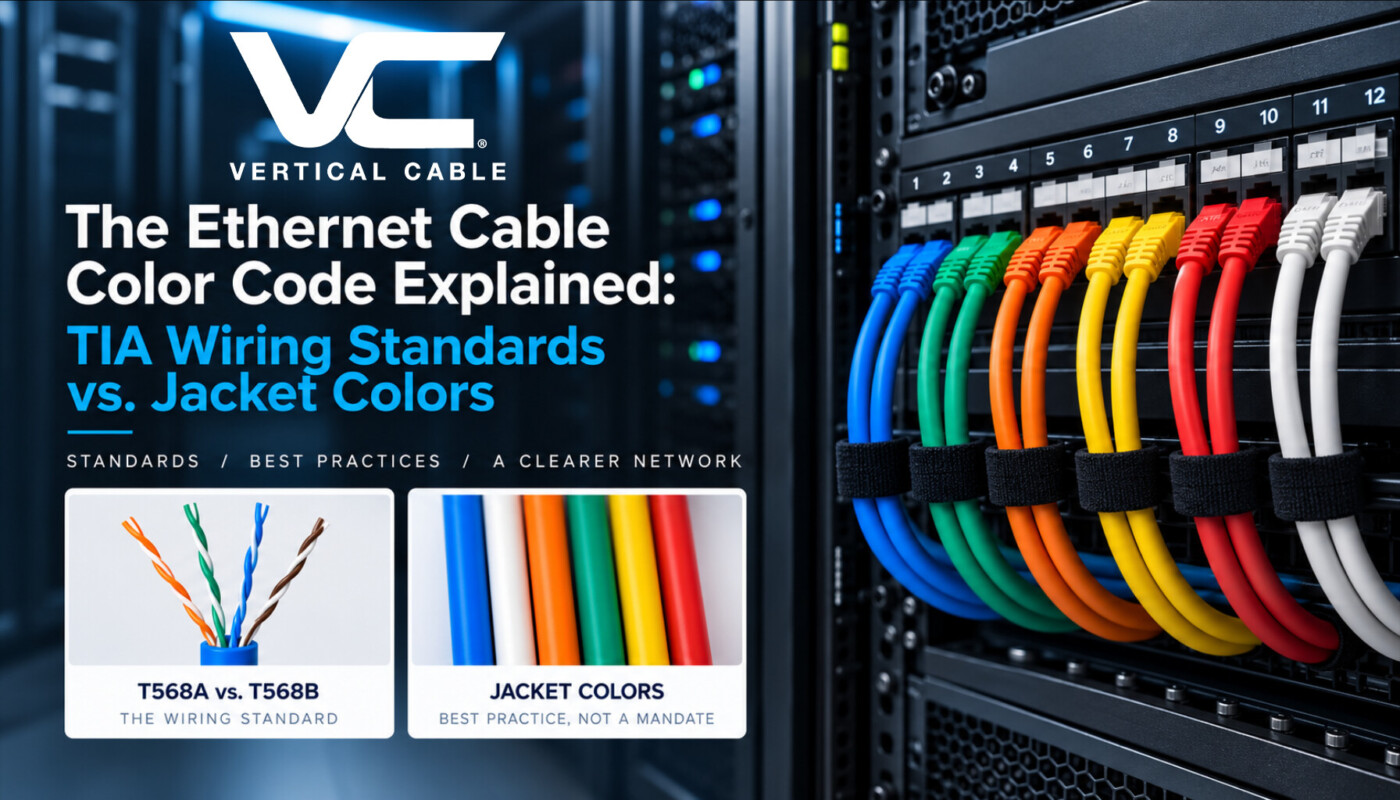
Walk into any rack with six different jacket colors running to a single patch panel, and you’ll get two very different reactions from installers: those who did it on purpose and the ones who inherited a mess. Both will tell you “color code” means something different depending on what you’re looking at — the eight wires inside the jacket, or the jacket itself. The Ethernet cable color code most people search for is actually two separate systems, and understanding which one is genuinely standardized (and which one isn’t) is the difference between a rack that documents itself and one that requires a label maker and a prayer.
Ethernet Cable Color Code Terms
In structured cabling, “color code” refers to one of two unrelated things:
- The wiring color code — the order the eight internal conductors are punched down or crimped into a jack, plug, or patch panel. This is genuinely standardized.
- The jacket color — the color of the cable’s outer sheath, used to visually organize a network by function (backbone, security, voice, Wi-Fi, etc.). This is the best practice, not a mandate.
Most confusion in the field comes from assuming the second follows the same rigid rulebook as the first. It doesn’t, and knowing why is what separates a genuinely useful color strategy from one that just looks nice on day one.
The Ethernet Cable Color Code at the Jack: T568A vs. T568B
The only part of “ethernet cable color code” that’s formally standardized is the pin-out for terminating twisted-pair cable, defined in ANSI/TIA-568.2-D. Every CAT5E, CAT6, and CAT6A cable carries four twisted pairs — orange, green, blue, and brown — each with a solid-color and a white/striped conductor, for eight wires total. Two accepted termination sequences exist:
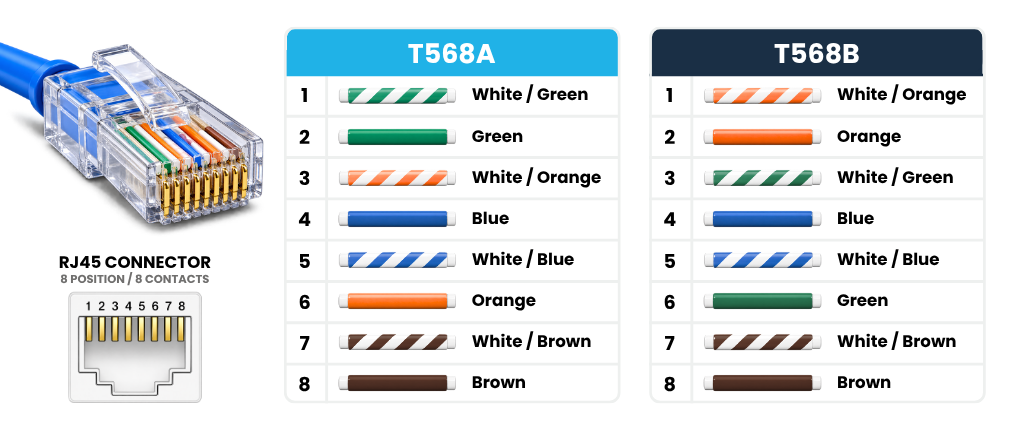
T568A and T568B are functionally identical — same performance, same category rating — they just swap the orange and green pairs. T568B is the de facto standard for most U.S. commercial jobs; T568A is more in government and legacy residential work. What actually matters is consistency: mixing A and B terminations on the same run without intending a crossover is one of the most common troubleshooting callbacks in the field.
This pinout standard is what most people mean when they search for “ethernet cable color code” — but it has nothing to do with the cable’s color itself. That’s a separate conversation. (For a broader look at how CAT5E, CAT6, and CAT6A performance is defined under TIA-568, see our breakdown of Ethernet cable standards:

Is There a Standard Color for the Cable Jacket Itself?
No — and this is the part that trips up even experienced techs. TIA-568 governs performance and termination; it does not assign a mandatory jacket color to any cable category or application. A CAT6A plenum cable is fully code-compliant whether it’s blue, white, or orange.
ANSI/TIA-606, the administration standard, offers a recommended — not required — color palette for labeling and identifying cabling by function (for example, orange for demarcation points, green for network connections, blue for horizontal runs). The standard itself makes it explicit that color coding under TIA-606 is a guideline for documentation consistency, not a compliance requirement you’ll be flagged for ignoring.
It’s also worth separating jacket color from jacket rating. The NEC (NFPA 70) does regulate what a cable jacket must be made of and how it performs in a fire — plenum (CMP), riser (CMR), or general-purpose (CM) — but that rating is about the jacket material, not its color. A CMP-rated cable is still CMP-rated no matter which color you pull.
Bottom Line No universal mandatory jacket color exists. The right move is to define an internal standard for your organization or job site and hold the line on it for the life of the installation. |
Why Bother Color-Coding Cable Runs at All?
If it’s not required, why do most well-run shops do it anyway? A few reasons that hold up on every job:
- Faster troubleshooting. A tech can identify a security camera run or a backbone uplink at a glance, rather than tracing it back to the panel.
- Safer moves, adds, and changes. Techs are less likely to unplug the wrong thing in a live rack when the functions are color-coded.
- Cleaner documentation and audits. Color-coded runs match as-built drawings faster and make handoffs to facilities teams less error-prone.
- Scalability. As a network grows, new installers (or new vendors) can read the system without a walkthrough.
None of this requires a formal standard — it requires a standard you actually stick to.
Common Color Conventions Contractors Use in the Field
While there’s no single mandated scheme, a fairly consistent convention has emerged across commercial installs, echoing the spirit of TIA-606’s recommendations:
Orange Backbone & Uplink Connections  | Black Server & Core Equipment  | Yellow Wi-Fi Access Points & PoE Devices  |
Blue General Network Data 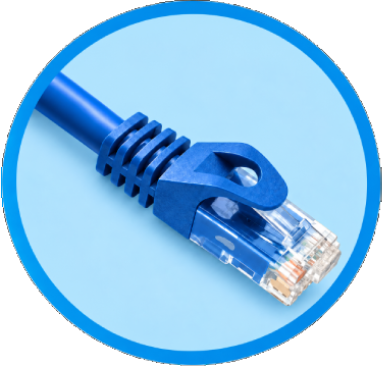 | Green CCTV & Security Systems  | White Telephone & Voice  |
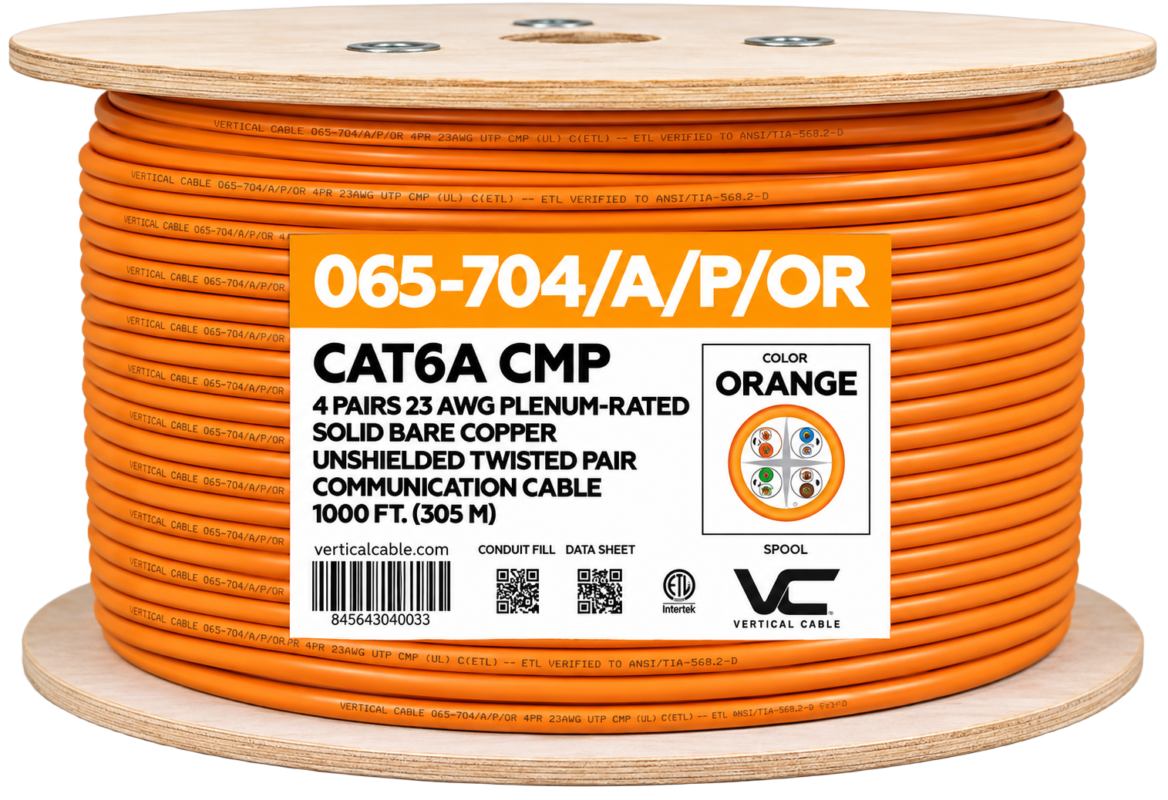 | Check Out New Added Color – CAT6A UTP CMP | 065-700s Series It’s a 4-pair, 23 AWG solid bare copper, unshielded (UTP) cable built to the Category 6A specifications in ANSI/TIA-568.2-D, with a CMP (plenum-rated) jacket for above-ceiling and air-handling space runs — now available in orange specifically so backbone and uplink runs can be identified on sight, without relying on tags that fall off six months into the job. SKU: 065-704/A/P/OR Category: CAT6A CMP UTP – Unshielded |
Building a Color Standard That Actually Holds Up
A color convention is only as good as its documentation. A few practices keep it from falling apart:
- Write it down. Include the color key in your project specs and as-built documentation, not just in your head or a text thread.
- Label both ends. TIA-606 labeling requirements exist for a reason — color indicates the function, the label confirms the exact endpoint.
- Stay consistent across the whole site. A convention that changes floor to floor or building to building defeats the purpose.
- Train the whole crew. A color code only works if everyone touching the rack knows what it means.
Frequently Asked Questions
Is there a standard color code for Ethernet cables?
Yes and no. The internal wiring pinout (T568A/T568B) is a true standard defined in ANSI/TIA-568.2-D. The jacket color is not standardized — TIA-606 offers a recommended palette for labeling and administration, but following it is best practice, not a requirement.
What are the 8 colors used in the Ethernet cable color code?
Every twisted-pair Ethernet cable uses four color pairs — orange, green, blue, and brown — each paired with a white/striped conductor, for eight wires total. The termination order follows either the T568A or T568B sequence.
What’s the difference between T568A and T568B?
They’re functionally identical wiring sequences that only swap the orange and green pairs. T568B is more common in U.S. commercial jobs; T568A is more common in government and some legacy installs. Category, performance, and compliance are unaffected by which one you use, as long as it’s applied consistently.
Does the color of the cable jacket affect performance?
No. Jacket color has zero effect on category rating, bandwidth, or compliance. A cable performs identically whether it’s black, blue, or orange — color is purely for visual organization.
Do I have to follow TIA-606 color guidelines?
No. TIA-606 color coding is a recommended administration practice, not a code requirement. Many contractors and facilities still adopt it (or a variation ) because a consistent, documented color standard makes long-term maintenance much easier.